This guide provides instructions for finding and installing apps in Evolve while logged in. If you're unsure how to log in, follow this guide.
Step 1
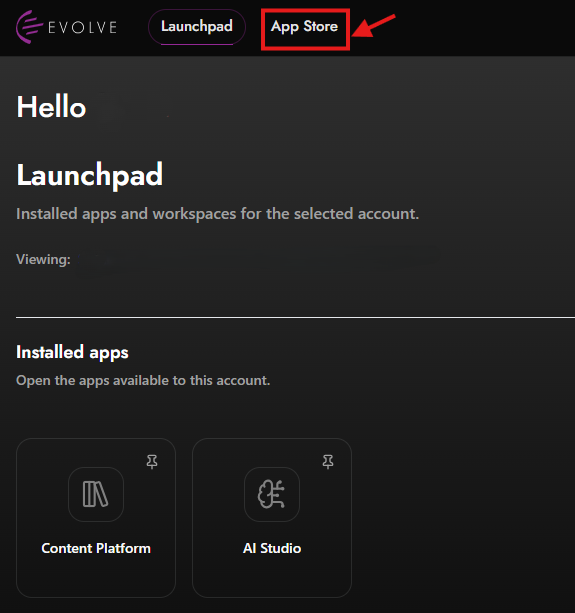
After logging in, you will be directed to your dashboard. From there, click on the "App Store" button as indicated above.
Step 2
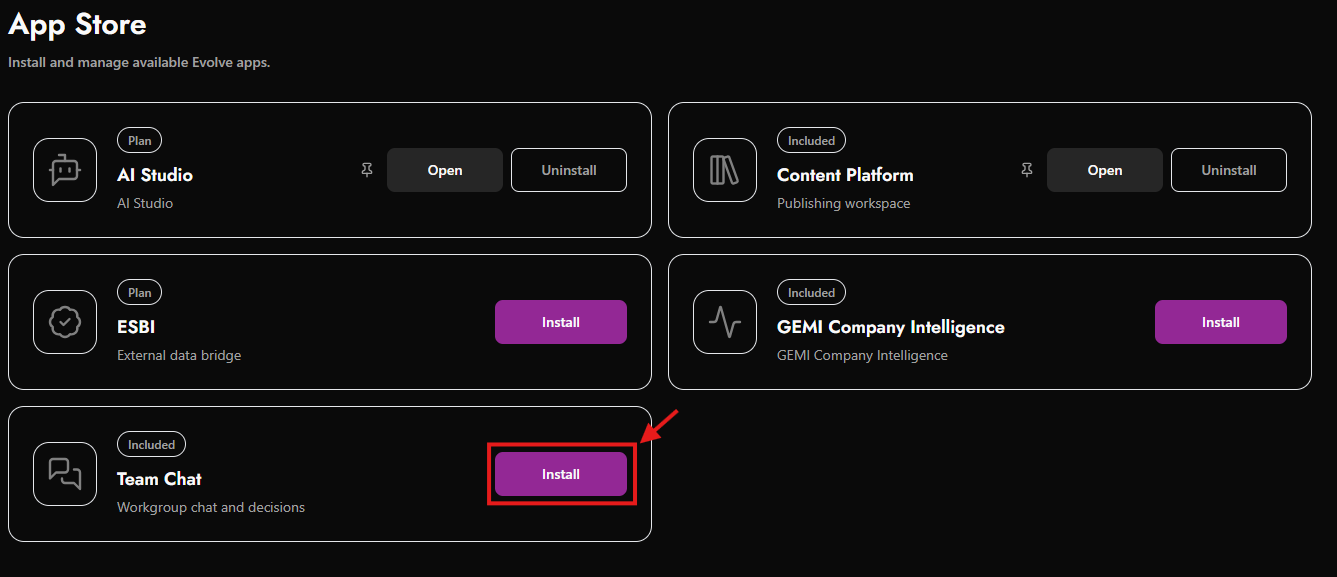
You are now in the App Store. Please note that the available apps displayed depend on your role in the system. You can easily install your desired app by clicking on the "Install" button, as shown above.
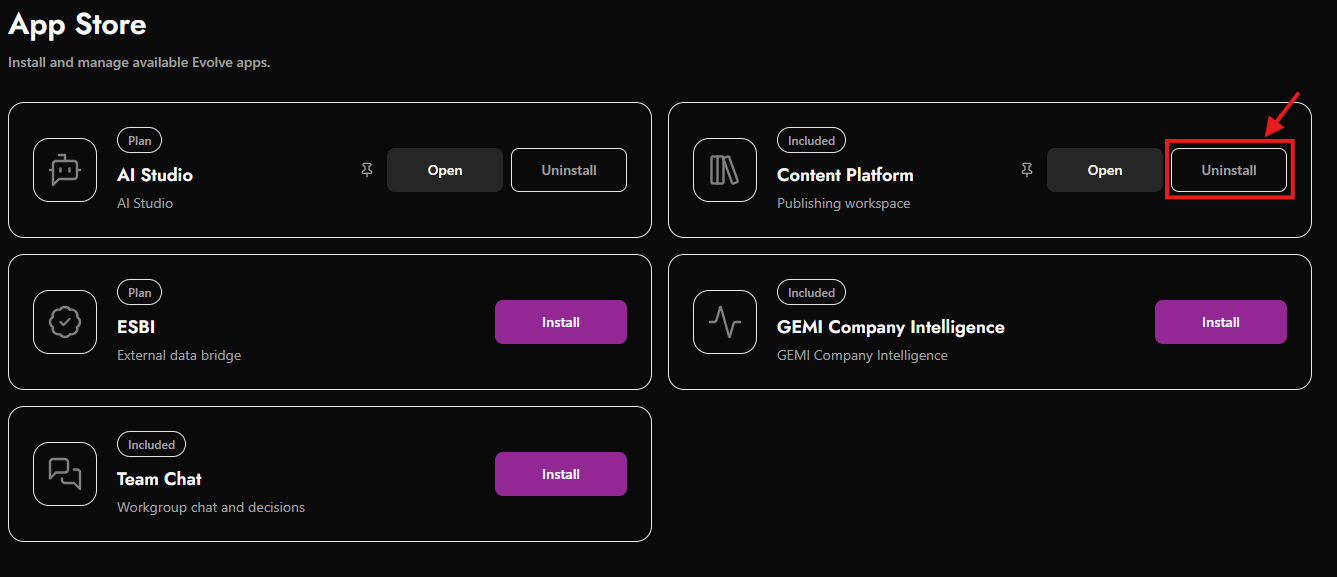
Once you have installed an app, the button will change to this. You can then uninstall the app by pressing the button again.
Please note that your dashboard's appearance may vary depending on your selected mode (dark or light) 🌑🌕 and any installed apps.