Please begin by following this Link, which will direct you to the sign-in page for Evolve.
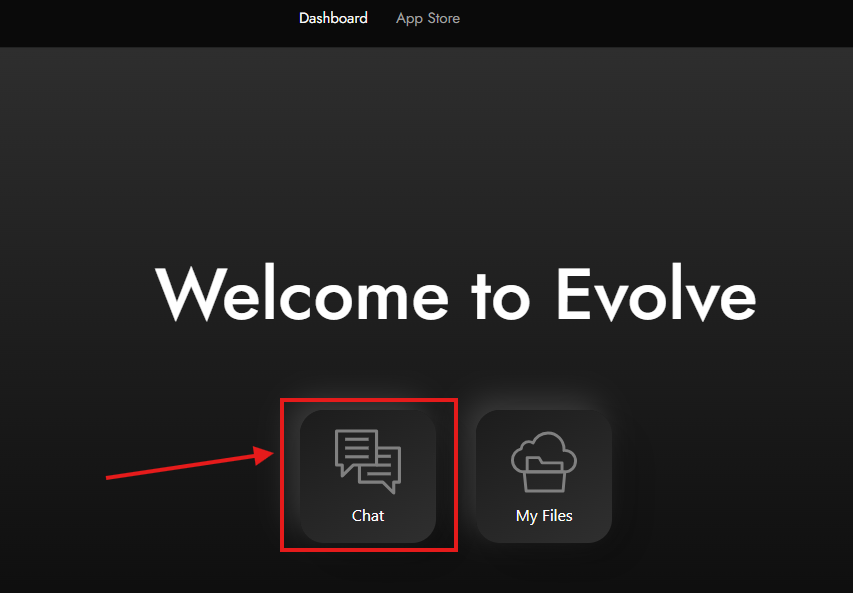
After logging in, navigate to your dashboard. Click on "Chat." If you haven't installed AI Studio yet, you can do so from the App Store.
For guidance on installing apps, refer to this guide.
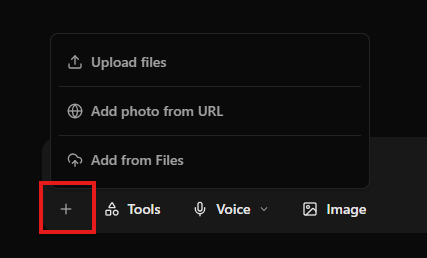
If you press the “+” button, you will see a drop-down menu with four options.
Upload files – Select photos from your device to upload
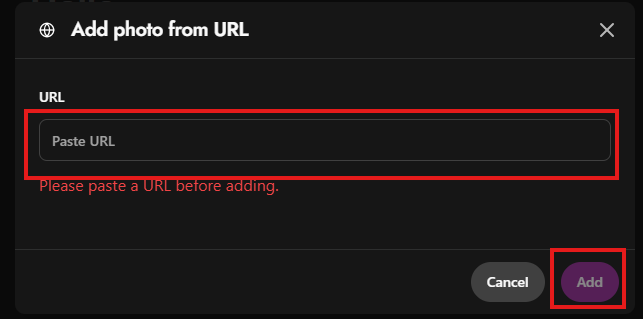
Upload from URL – Insert a URL here and press “Add“
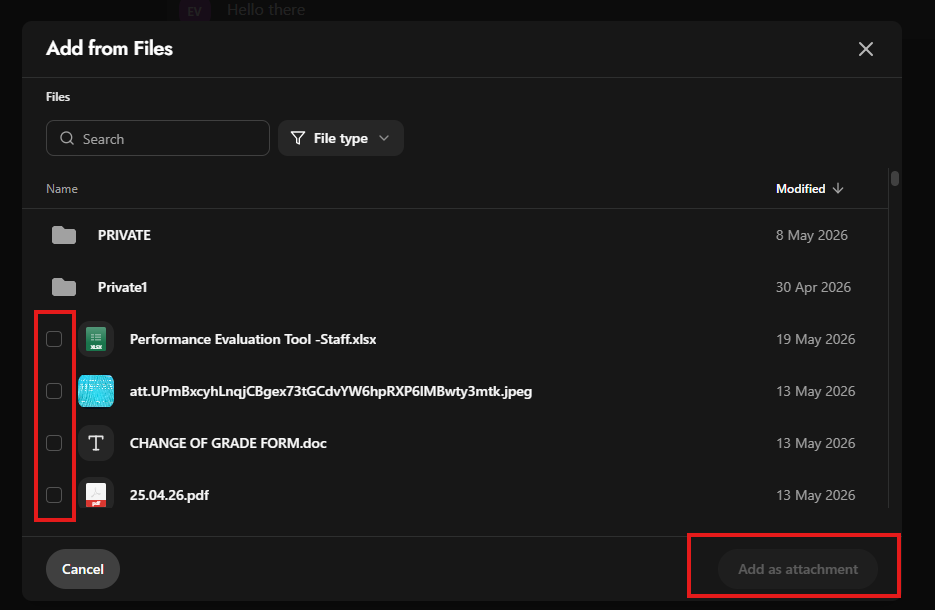
Add from Files – Select the docs you want by check box and press “Add as attachment”.