Please begin by following this Link, which will direct you to the sign-in page for Evolve.
If you're unsure how to log in, follow this guide here.
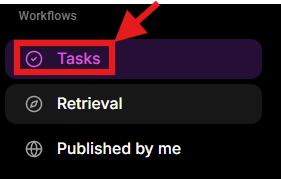
Go to the left navigation menu.
Find the Workflows section.
Click Tasks.
The Tasks section displays files or items that require an action from you. If no tasks have been assigned, the relevant sections will be empty.
You can:
All: view all tasks currently assigned to you
Review: view items that require your review
Make changes: view items that have been returned to you for changes
Approve: view items that require your approval
Use the Search bar to find a specific task
Select a task to open it and complete the required action

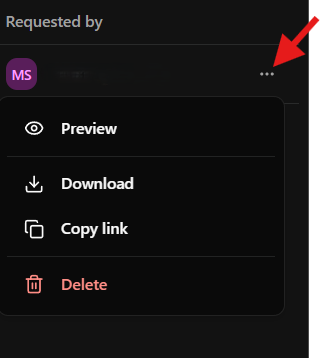
Select the three-dot menu (⋯) next to a task to access additional actions.
Available options include:
Preview: open and view the associated file
Download: download the file to your device
Copy link: copy a direct link to the file
Delete: delete the task/item