Please begin by following this Link, which will direct you to the sign-in page for Evolve.
If you're unsure how to log in, follow this guide here.
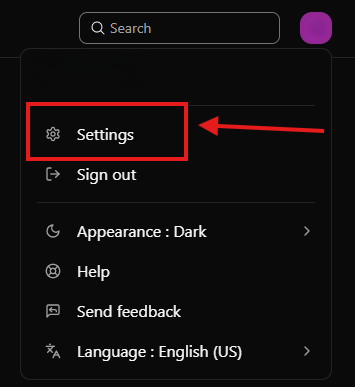
While logged in, click on your profile icon on the top right corner of the screen and click on "Settings" from the dropdown menu, as depicted in the image above.
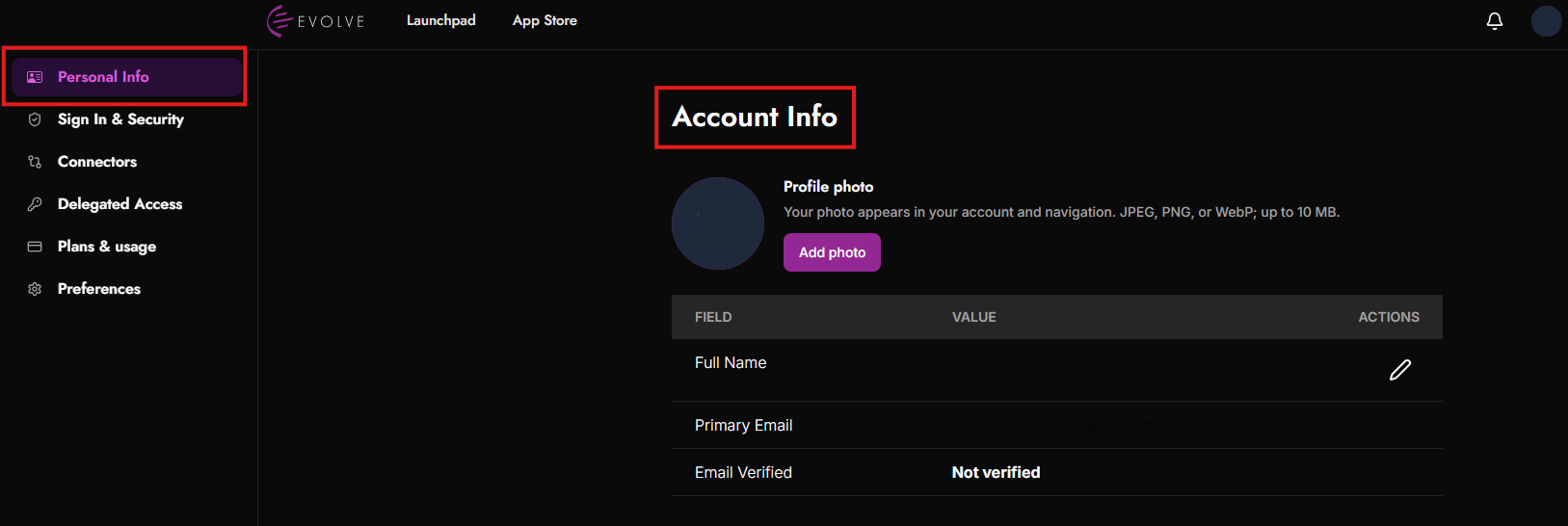
Select “Personal Info” from the left-hand menu to access your Account Info. From here, you can add or change your profile photo, view your Full Name and Primary Email, and check whether your email address has been verified.
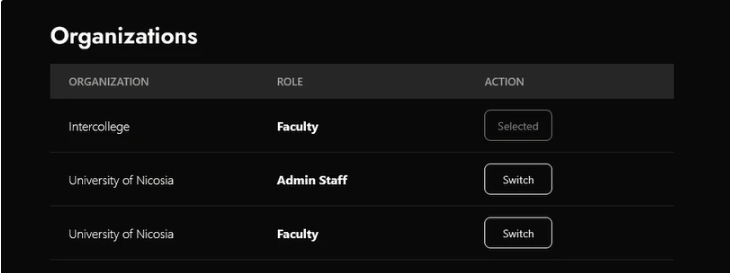
Scroll down to the "Organizations" section. Here you will see a list of organizations and respective roles your account is linked to.
The first column depicts the Organizations and the second column the respective roles.
To switch organization and role, click the "Switch" button next to the role you want to switch to.
In addition, the app management is different for each role in the organization. For each role, the user needs to install or uninstall the apps they want, and it will not affect the apps for the other roles.